
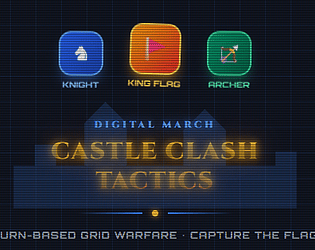
Digital March: Castle Clash Tactics
Credits: SoulofBlight(DRS), Gemini AI Engine, CyberLeaf Studio for Audio, (c) Yanako RPGs LLC for images Castle Clash Tactics: Game Summary & Rules
Loads from the address in this record
The embedded game is supplied by its developer and opens only when you ask for it. No download, no account, no autoplay.
About this entry
Castle Clash Tactics: Game Summary & Rules
Castle Clash Tactics is a fast-paced, 2-to-4 player turn-based strategy game designed for quick tactical matches on desktop and mobile browsers. Inspired by Go, Chess, Yu-Gi-Oh! Capsule Colosseum, and Tactics Battle Arena Online, the game challenges players to command castle garrisons, outmaneuver opponents, and protect their vital king unit to secure total victory.
Objective & Victory Condition
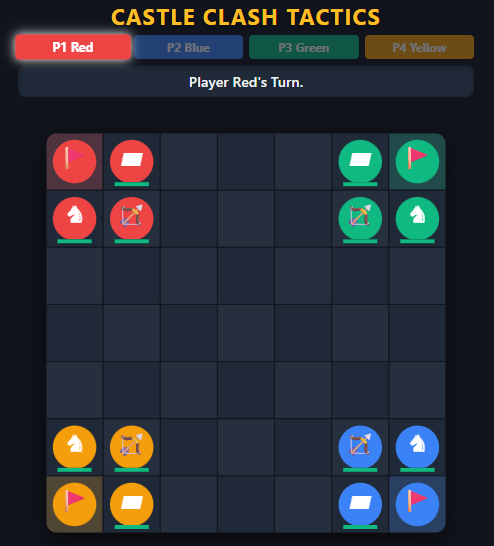
- Capture the Flag to Win: Each player fields a king-like Flag (🚩) unit positioned directly inside their castle keep.
- Sudden Death: Eliminating an opponent’s Flag unit instantly wins the match for the attacker. There is no need to carry a captured flag back across the board; the moment the Flag falls, the game is won.
The Battlefield & Player Setup
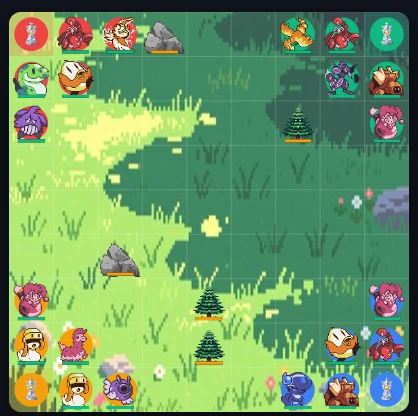
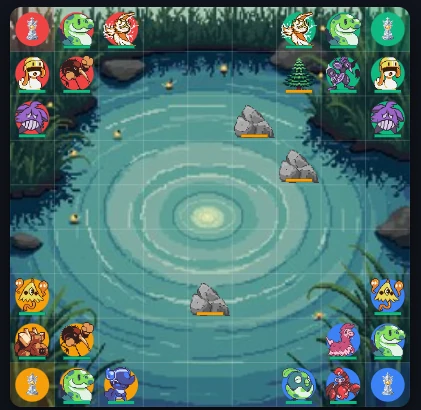
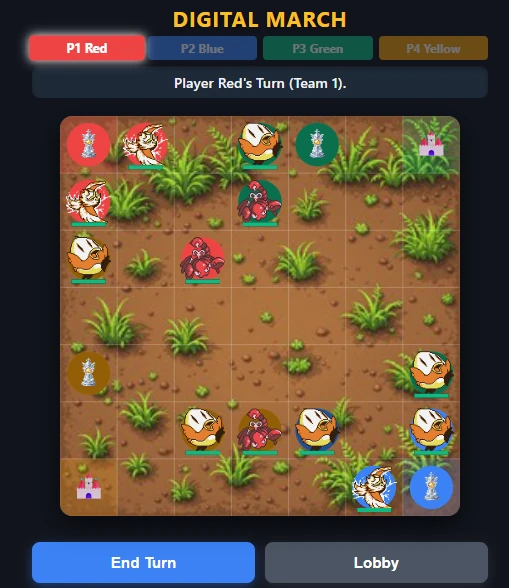
- 9×9 Compact Arena: The grid features four corner castle keeps (🏰), forcing players into immediate tactical engagement.
- Player Modes: In the pre-battle lobby, you can configure a match between 2 to 4 players, choosing whether each participating party is controlled by a Human (local hotseat) or an AI Bot.
Unit Roster & Stats
Each player commands a squad of four specialized units:
Images for the units are currently randomized.
Red and Green get the advantages of Mage class.
Yellow and Blue get the advantages of Healer class.
Tactical Unit Roster
The battlefield features a diverse roster of specialized units, each defined by unique movement ranges, attack patterns, and support utility:
- Knight (♞): The vanguard cavalry. Boasts high mobility (Move 3) and heavy melee pressure (Atk 2), making them ideal for aggressive flanking and rapid territory control.
- Guard (▰): The unyielding shield-wall. Equipped with maximum durability (HP 5) to absorb punishment and lock down key choke points around castle perimeters.
- Archer (🏹): The ranged skirmisher. Controls space safely from a distance (Range 2, Atk 2) to chip down approaching threats without entering counterattack range.
- Mage (🔮): The arcane glass cannon. Wields devastating long-range magical bombardment (Atk 3, Range 2) capable of deleting high-priority targets at the cost of fragile health pools.
- Healer (💖): The vital support anchor. Uses restorative restoration pulses (Heal 2, Range 1) to patch up battered frontline units and sustain protracted sieges.
- Flag (🚩): The sacred banner. Immobile and defenseless (HP 1, Atk 0), but serving as the ultimate win condition—if your flag falls, your entire kingdom is eliminated.
(You can still play after losing your king, but it only matters in doubles unless you really want to help another person or AI win after losing your own.)
How to Play (Turn Sequence & Controls)
- Turn Order: Play passes sequentially between active players (Red, Blue, Green, and Yellow).
- Select a Unit: Tap or click on any of your active units during your turn. Valid movement tiles will highlight in blue, and valid attack targets will highlight in red.
- Move or Attack:
- Tap a blue tile to move your unit.
- Tap a red-highlighted enemy unit within range to attack.
- Note: Taking an action or moving exhausts that unit for the current turn.
- End Turn: Once you have acted with your units, tap the “End Turn” button to pass control to the next player (or let the AI take its turn automatically).
Customizing Graphics
- Use the Load Sprites button in the setup lobby to upload your own custom image files (PNG/JPG) for your units to replace the default icons.
Controls
Before you startRecorded inputs
Touchscreen
Captures
5 filed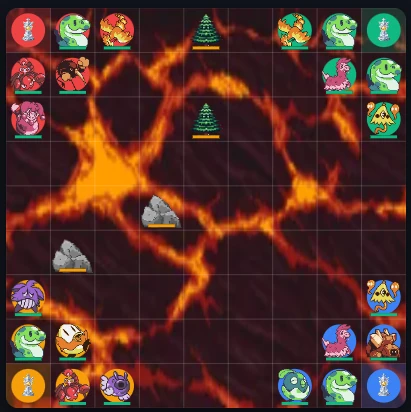
Entry data
From the catalogue record| Title | Digital March: Castle Clash Tactics |
|---|---|
| Genre | Strategy |
| Developer | DRS |
| Supported platforms | HTML5, Windows, macOS, Linux, Android |
| Date filed | September 21, 2026 |
| Record no. | 3507 |
Filed under
Credits & rights
This is a catalogue record. The game, its artwork, name and trademarks belong to DRS. We host neither the game files nor a copy of its content; the playable frame loads from the address supplied with the record.
Wrong credit, or you own the rights and want this entry removed? Contact us or read the takedown procedure.